





Web Development Full-Stack Integration & Deployment
Duration: 1 Month
Level: Advanced
Prerequisite: Module 2 (Advanced React) + Node.js/Express knowledge
What you'll learn
• Connect React frontend with Node.js/Express backend
• Build and consume REST APIs in real applications
• Use Axios for API communication
• Implement full CRUD operations across frontend and backend
• Handle loading and error states in UI
• Configure environment variables in frontend and backend
• Enable CORS for cross-origin requests
• Build and deploy full-stack applications
• Prepare portfolio-ready production projects
This course includes:
• 1 Full-Stack Capstone Project
• 12–16 Hours Live Classes
• Online / Onsite (Physical)
• Full-Stack Code Templates
• Deployment Guide (Frontend + Backend)
• Certificate of Completion
Course Content
Node/Express Backend Setup (Recap)
• Setting up Express Server
• Creating REST API Endpoints:
- GET
- POST
- PUT
- DELETE
• Connecting to Database: - MongoDB (recommended)
- or In-Memory Data (for practice)
• Testing APIs using Postman
Connecting React with Backend (Axios)
• Installing Axios
• Making API Requests:
- GET (fetch data)
- POST (send data)
• Displaying Data in React UI
• Handling Loading States
• Handling Errors Gracefully
Full-Stack CRUD Implementation
• Creating Data (Frontend → Backend → DB)
• Reading Data (Display in React)
• Updating Data (Edit functionality)
• Deleting Data
• Using Environment Variables:
- .env in React
• Backend Configuration: - CORS setup
• Structuring Full-Stack Applications
Deployment & Final Project
• Building React App for Production:
- npm run build
• Deployment Platforms: - Backend: Render / Railway
- Frontend: Vercel / Netlify
• Environment Configuration (Production)
• Testing Live Application
• Debugging Deployment Issues
Final Project (Capstone)
Build and deploy a complete full-stack application.
Project Options:
• Task Manager
• Blog System
• Notes Application
• Product Management System
Required Features:
• React frontend + Node/Express backend
• REST API integration
• Full CRUD functionality
• MongoDB (or alternative) database
• API communication using Axios
• Environment configuration
• Live deployed application
• (Optional) Authentication using JWT
Requirements
• Completion of React Modules 1 & 2
• Knowledge of Node.js & Express
• Basic understanding of APIs and databases
• Laptop/PC with development tools installed
Description
This module brings everything together by connecting frontend and backend technologies into a complete full-stack application. Students will learn how real-world applications are built, integrated, and deployed.
By the end of this module, learners will have a fully deployed application and a strong portfolio project.
Why Choose This Course?
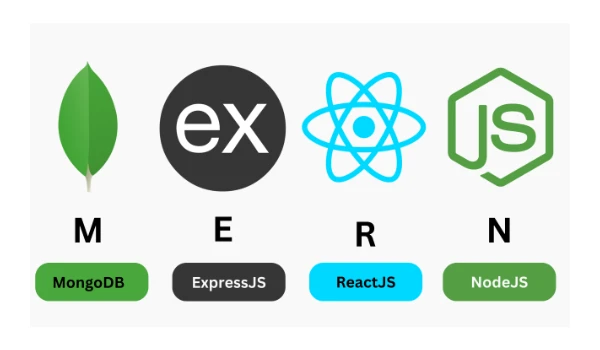
• Full MERN Stack Integration
• Real Deployment Experience
• Production-Ready Skills
• Portfolio Development
• Industry-Relevant Tools
Activities During Class
• Building backend APIs
• Connecting frontend to backend
• Implementing CRUD operations
• Debugging full-stack applications
• Deploying live projects
Who Is This Course For?
• Students who completed React and Node modules
• Learners aiming for full-stack developer roles
• Students building professional portfolios
Course Highlights
• Full-Stack Development (React + Node)
• API Integration with Axios
• Deployment Skills
• Capstone Project
• Certificate of Completion
📸 Course Gallery
